Mechanism
The best feature is the
one that says no.
Four guards stand between the plan and anything your phone needs.
Every intensity runs through the same four guards, Ultra included. Ultra raises the ceiling; it does not lower the guards.
Safety and trust
Careful
by design.
Free My Android is built around restraint.
- It disables supported apps rather than permanently deleting them.
- It shows the plan before applying it.
- It protects essential parts of the device.
- It keeps a record so changes can be reversed.
- It is open source, so its workings are available to inspect.
Your device is personal. Back it up first, and take a moment to review every proposed change. The same refusals, as a real phone recorded them →
Try it yourself
Go on. Try to switch off the payment app.
0of 16 switched off
0 refused · nothing deleted
Tap an app to switch it off.
Some go quietly. Some ask first. A few it will not touch.
A drawing with twenty apps on it. The names and what each one does come from the tool's own lists; on the real phone we tested, 71 were switched off.
Get started
Paste one line.
It does the rest.
- Open Claude Code, Codex or any similar agent on your computer.
- Paste the line below.
- Say yes as it goes. It asks what your device is, and the app opens in your browser.
Set up Free My Android for my device: follow github.com/manishb27/freemyandroid/blob/main/AGENTS.md, tell me before each step, and open it in my browser.
Works with  Claude Code
 Codex or any similar agent · for a phone, a tablet or a TV
Four guards
What the software refuses to do.
The refusals you can provoke above, as the tool recorded them on the Galaxy M21, each with the package it was about and the guard that made it.
The fourth guard is the quietest: a package you disabled yourself is left alone, so undo never re-enables something you chose.
com.phonepe.app — it is the current payment app. Turning it off is the kind of thing you discover at a shop counter — so it is never done automatically, even though it arrived as a preload.
com.android.chrome — it is the current browser. Links from every other app would go nowhere.
com.google.android.gms — protected. The phone needs it to boot and to make calls. 57 packages and 16 vendor prefixes are on this list, and nothing takes them off it.
talkback — a screen reader in use is never disabled automatically. Somebody depends on it to use the device at all.
More examples
Eight more things it
will not touch.
Role occupancy is resolved live from the device, not from a list written in advance — which is why the launcher guard released the stock launcher the moment a replacement took the job.
| Package | Guard | Why |
|---|---|---|
com.sec.android.app.launcher | role occupancy | Current home screen — held until Neo Launcher replaced it, then correctly released. |
com.samsung.android.networkstack | hard guard, by prefix | Wi-Fi and mobile data. Was allowed through once because the warning lived in a comment; network stacks are now protected by prefix. |
com.android.systemui | hard guard | The status bar, the navigation bar and every system dialog. |
com.samsung.android.messaging | role occupancy | Current SMS app. Two-factor codes arrive here. |
com.android.providers.contacts | hard guard | A provider, not an app. Disabling it empties the dialer. |
com.google.android.inputmethod.latin | role occupancy | The only installed keyboard. Removing the last keyboard leaves no way to type. |
com.android.cellbroadcastreceiver | hard guard | Emergency and amber alerts. |
<anything you disabled yourself> | user intent | A package you turned off by hand is left alone, so Undo never re-enables something you chose. |
Built to be handed over
Let an assistant
do the reading.
“Which of these 371 packages is safe to remove” is exactly what people want help with. Clone the repo, open your coding agent in the folder, and say one of these.
What a good agent does
- Shows you the plan before touching anything
- Hands you the web interface rather than driving the terminal one
- Reads out what each guard refused, and why
- Never runs
pm uninstall— this tool only disables - Never picks “freshly reset” for a device you are using
If it does any of those, stop it. The repo spells it out in AGENTS.md.
01 Start here
I want to debloat my Android phone.
This is a phone I own.

Read AGENTS.md first, then walk me
through it.

My phone is a <make and model> running
Android <version>. Developer options
and USB debugging are on, and it is
plugged in.
02 Ask before acting
Show me the plan for the standard
profile, but do not apply anything.

For each package, tell me what it does
and who ships it. Group them by how
much I would notice if it vanished.
03 Explain a refusal
The run refused 7 packages.

For each refusal, tell me which guard
fired, what role that package holds,
and what would break if I overrode it.

Do not override any of them.
04 Put it back
Something is wrong since the last run.

Read the undo journal, show me every
change it recorded, and restore the
device to the state before that run.
The order of operations
Save first.
Change second.
Nothing in this tool deletes data: a disabled app keeps everything it stored. A backup comes first anyway, because the phone in someone's hand is usually the only copy of their photographs.
In the web interface it is step 3 and one button. A second press only copies what is new. A file counts as saved only when it is on the computer at the size the phone reported, and the copy lands in an ordinary folder that needs no program to open.
What is saved
- Photos, videos, screenshots, downloads, documents, music and recordings
- WhatsApp photos and videos, and WhatsApp's own chat-backup file
- The same folders on an SD card, if there is one
- Contacts, as a standard .vcf any phone or mail account can import
- Text messages and call history
- The list of apps you installed, with links to get them again
What no backup tool can save, said out loud
- Authenticator and banking codes
- Locked inside the app. Move them from inside the app itself. This is the one that locks people out.
- It lives with your email provider, not on the phone. Sign in anywhere and it is all there.
- Things inside apps
- Game progress and app settings cannot be read from outside without root, and adb backup has skipped nearly every app since Android 12.
- Wi-Fi passwords
- Not readable from a computer.
Some phones refuse to let a computer read contacts or messages. When that happens the summary says so and tells you what to do instead; it never writes an empty file and calls it a success. The whole pipeline is tested on every change against a stand-in phone. It has not yet been run on a real one. The full process, including what to do before a factory reset →
Three strengths
Decide how free you want to be.
Strength is a risk ceiling, not an adjective. Each level lets more through, and the same guards stand at all three.
The figures are the tool's own, for a stock Samsung carrying everything on its lists. That is the most there could be; a real phone has fewer.
Standard
“Careful” in the picker
111 changes proposed
111 safe 0 caution 0 risky
Only what nobody misses: ad frameworks, analytics, paid-for preloads and no-icon background services. Nothing you can see disappears.
7 held back, all above this level's ceiling.
Extreme
“Further” in the picker
122 changes proposed
113 safe 9 caution 0 risky
Also the maker's own stores, themes, games hubs, assistants and cloud services. You will notice these are gone; nothing breaks.
2 held back, both above this level's ceiling.
Ultra
“Furthest” in the picker
137 changes proposed
120 safe 14 caution 3 risky
Everything above, plus the apps you have replacements for. It asks twice, and makes you type the word apply.
1 held back: Google Play services, refused by a guard at every level.
The interface
Everything is a plan
before it is a change.
The terminal prints the plan. The web interface shows the same plan grouped by risk, with every refusal beside the guard that produced it. Neither applies anything until you say so, and both refuse the same packages for the same reasons.
These are live SVG, not video — a few kilobytes each, and they stop moving if your system asks for reduced motion.
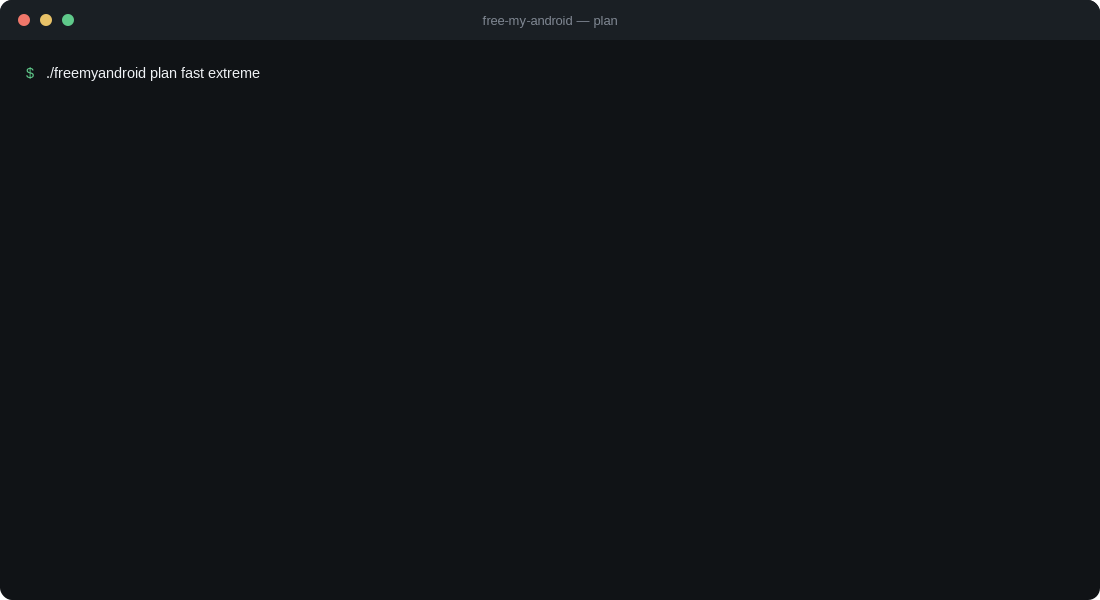
./freemyandroid plan fast extreme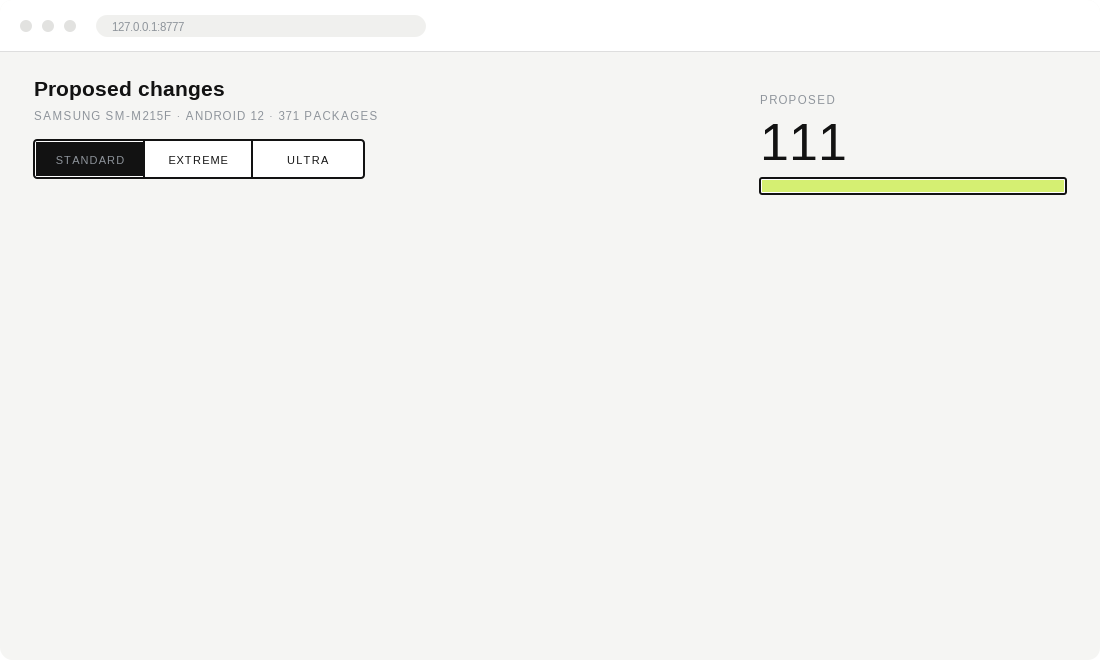
./freemyandroid webExamples
The same mechanism,
two very different screens.
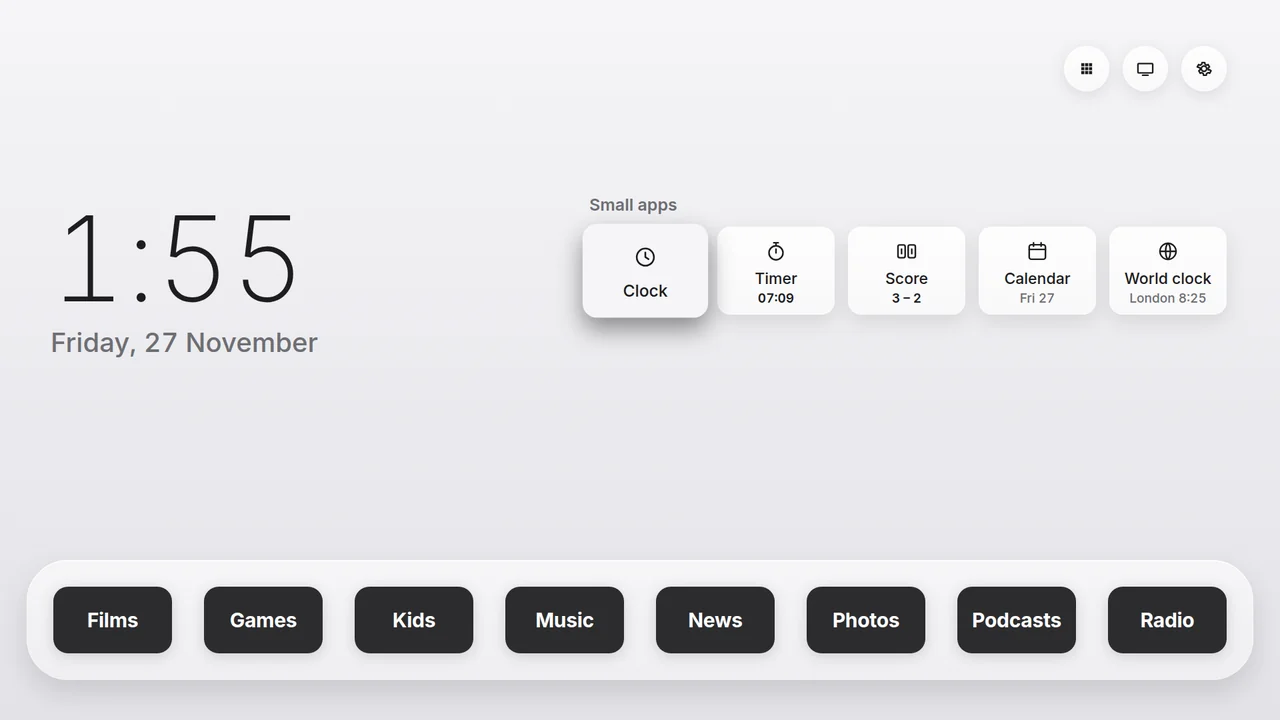
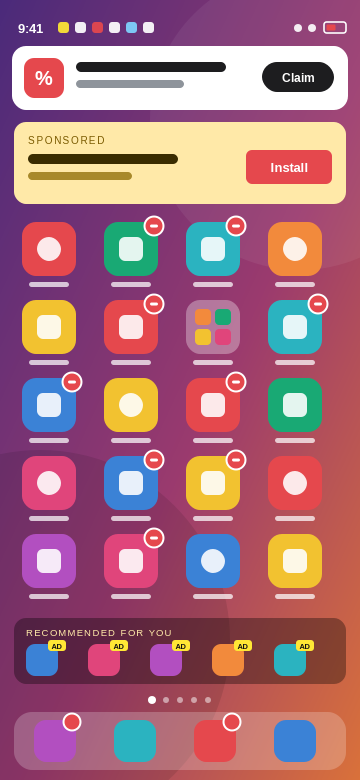
A phone is held and a television is across the room, so the before and after look nothing alike. What runs underneath is identical: read the device, propose a plan, refuse what holds a role, write every change to a journal.
Phone — Samsung Galaxy M21
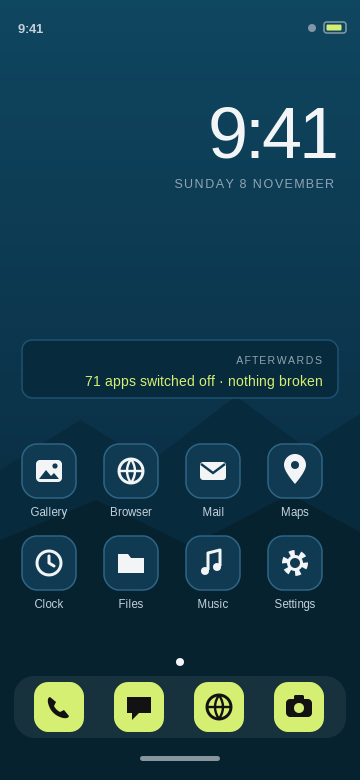
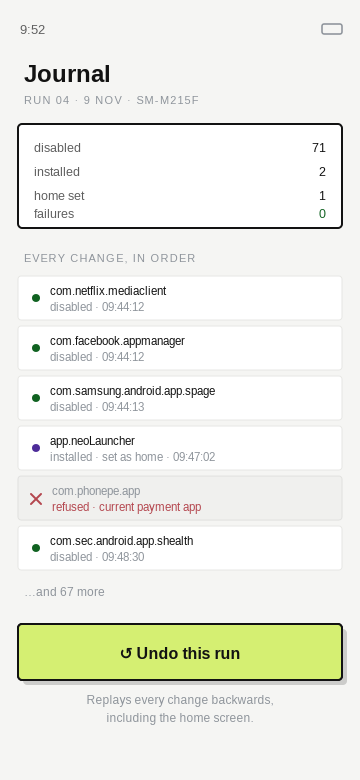
Television — Android TV · Free My Android TV, being built →
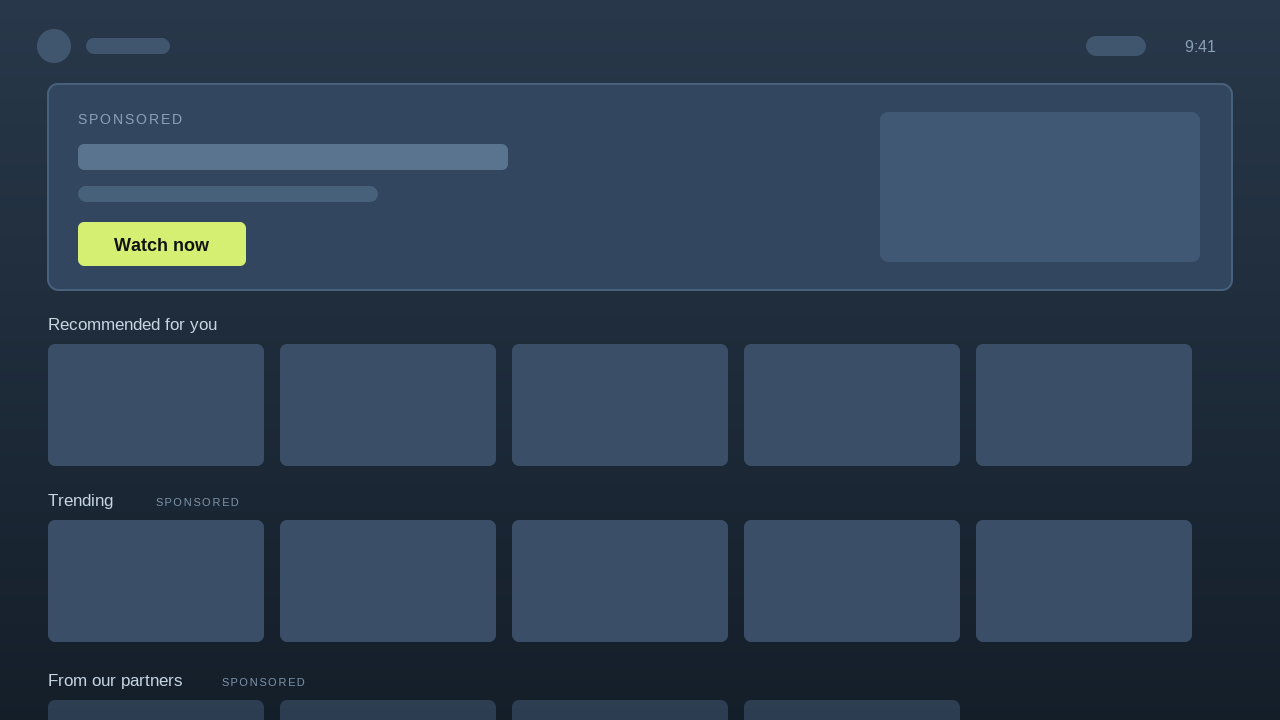
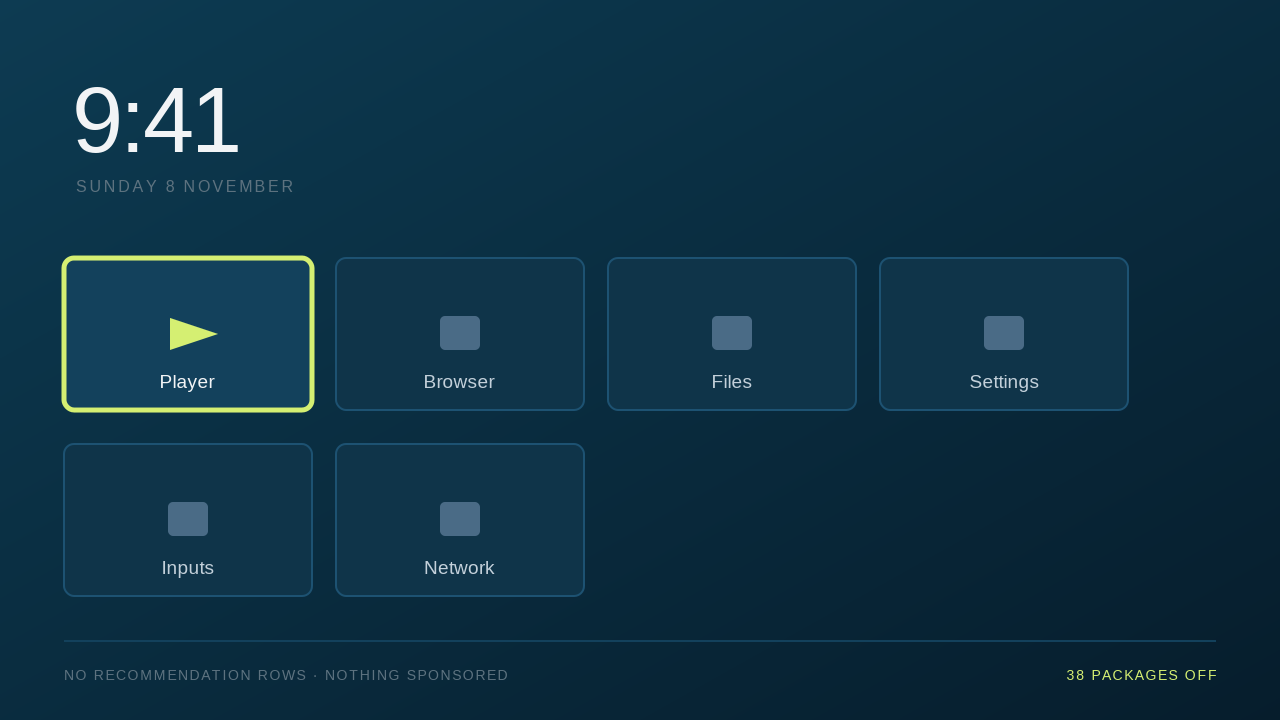
These are drawings, not captures. They show what the
tool does and what each screen is for; they are not photographs of a
particular device. Real captures replace them by dropping files into
public/screens/ under the same names.
Set it up yourself
Every step,
with pictures.
A computer with adb, the device, and five minutes. Or paste one line into an AI agent and let it run these for you: it is above. The pictures are drawings; every maker's menus differ a little.
Cable or Wi-Fi
On the phone
- 1 Turn on developer options
Settings → About phone → tap Build number seven times.
- 2 Turn on USB debugging
Settings → System → Developer options → USB debugging.
- 3 Plug in and allow
Connect the cable. On the phone, tick Always allow and press Allow.
- 4 No cable? Use Wi-Fi
Android 11 and newer: Developer options → Wireless debugging → Pair device with pairing code.
On the computer
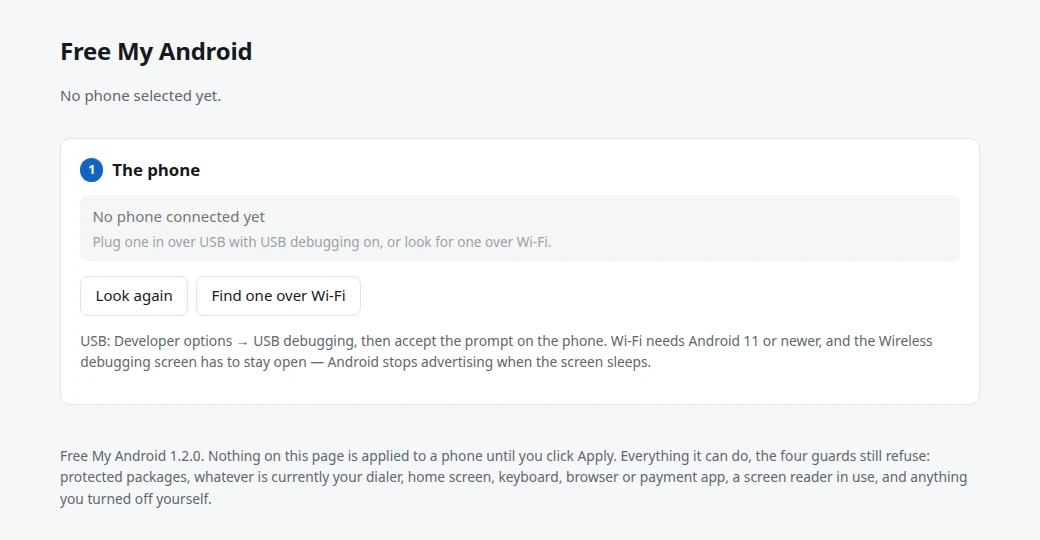
Get it and start the web app. It opens in your browser.
git clone https://github.com/manishb27/freemyandroid
cd freemyandroid
./freemyandroid web
Then: pick the phone, choose a plan, read it, and press Apply. Nothing changes before that.
On a TV
- 1 Turn on developer options
Settings → Device Preferences → About → select Build seven times.
- 2 Turn on debugging
Developer options → USB debugging. Some sets also have Network debugging: turn that on too.
- 3 Connect and allow
Find the TV's address under Network. On the computer: adb connect, then press Allow on the TV.
To put Free My Android TV on the set:
adb connect <the TV's address>:5555
curl -LO https://github.com/manishb27/freemyandroid-tv/releases/latest/download/FreeMyAndroid-TV.apk
adb install -r FreeMyAndroid-TV.apk