For Android phones, tablets and TVs
Your Android. Less of everyone else.
See what came preloaded. Switch off what you do not want. Put it back any time.
A calmer phone, tablet or TV begins with a simple idea: you should decide what lives on it.
Free My Android helps you see what came preloaded, choose what no longer belongs, and put it back if you change your mind.
156 setups so far · 0 visitors
Free and open source Nothing is permanently removed
The problem
A new phone is not
an empty phone.
It was sold as yours. It arrived crowded.
A new Android device can come with apps, services and suggestions chosen by manufacturers, partners and advertisers.
Some are useful. Some are not. Most were never a choice.
Your device should feel like yours again, not like a shelf someone else stocked.
369
apps and services came on the phone
71
could be switched off safely
0
things stopped working
Counted on one ordinary phone, bought in a shop and used every day. See exactly what we did to it →
A clear view
Make space for
what matters.
Free My Android gives you a clear view of the software already on your device, then helps you make a considered choice.
No blind clean-up. No mystery button. No permanent leap of faith.
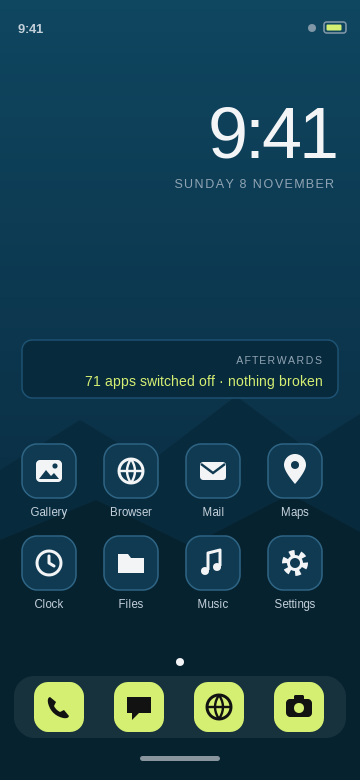
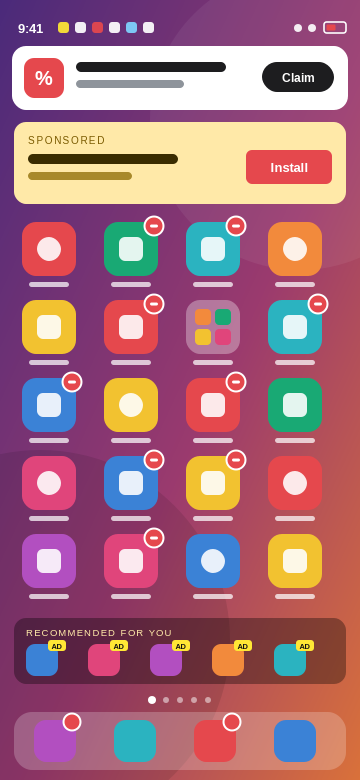
You see the plan first. You choose the level of change. The tool keeps a record of every decision.
Drag the line to compare
This picture is a drawing of a typical result, not a photo of one phone. Yours will look like yours.
How it works
Three quiet steps.
Nothing changes until the third step, and only what you have reviewed. The first two only look. Take the first step →
- 1
Look
Connect your device and see the software it carries. Free My Android identifies known preloads and explains what each change means.
- 2
Choose
Pick the kind of device you want: faster and simpler, easier for a relative, or prepared for a project. Then choose how far to go.
- 3
Change, and return
Review the proposed changes before anything happens. If you want something back later, restore the whole session in one move.
Try step two
Pick what it becomes, and how far to go.
1 · What should it become?
Take off the adverts, the tracking and the apps that were paid to be there. The phone stays exactly as capable, with less running behind your back.
2 · How far?
Only changes nobody would notice.
Changes the tool would propose
111
For a Samsung phone carrying everything on the tool's lists, which is the most there could be. A real phone has fewer: ours had 71. You see every one before anything changes.
Before step three
Save your things first
One click copies your photos, videos, contacts and messages to your computer. It only reads the device; nothing on it changes. What it saves, and what no backup can →
Benefits
What you get back.
A device with less to do
Fewer unwanted apps and background extras competing for attention.
A second life for good hardware
An older phone can still be a useful phone, tablet, TV companion, or something entirely new.
Decisions you can understand
Every proposed change is visible before it is made. Nothing asks you to trust a black box.
Careful by design. It disables apps rather than deleting them, shows the plan first, refuses the parts your device needs, and keeps a record so every change can be reversed. Try to make it switch off the payment app →
Device scope
Start with the device
you already have.
Phones, tablets and Android TVs each carry different clutter. Free My Android treats them accordingly, with separate protections for the things each device needs to remain usable.
Supported now
Phones
209 apps known by name, across five lists: every Android phone, paid-for preloads, Samsung, Xiaomi, and OnePlus, Oppo and Realme. Run on 20 devices so far, and measured in full on a Samsung Galaxy M21.
supported
Supported now
Tablets
A tablet uses the phone lists and the same protections. Tablets are among the devices it has been run on; none has a list of its own yet, so read the plan with care.
supported
Supported now, and new
TVs
A separate list of 38 for Android TV, with its own protections for the remote and the home screen. It has not been tried across brands and will not suit every set. Free My Android TV, an app for the television itself, is being built.
supported Free My Android TV →
Planned
Watches
Wear OS is next. Nothing here has been tested on a watch, and we would rather not guess.
not yet
The size of the drawer
Billions of working phones
are sitting in drawers.
They were bought, paid for, and put away when a newer one arrived. Most of them still switch on.
16 bn
mobile phones owned worldwide
UNITAR / WEEE Forum, 2022
5 bn+
sitting unused in drawers right now
GSMA, 2023
30 %
of Europe's phones are no longer in use
WEEE Forum, 2022
2.7 yr
before the average phone is replaced
Fairphone, 2022
A second job
The drawer is not
the end of the story.
There are millions of capable Android devices put aside simply because they became slow, crowded or inconvenient. First, make them feel good to use again. Then give them a second purpose.
The device in your drawer is still a real computer. It has a capable processor, a good camera, a microphone, Wi-Fi, a touch screen and a battery of its own. That is more than enough for every job below. Our part is making the clean-up easy and safe.
Pick one
Give the old phone a job.
A camera that watches the door
Or the baby's room, or the shop counter. The camera on an old phone is already better than this job needs.
clean it, add one app Read the story →
The screens are drawings of the idea. For two of these the tool has a ready-made setup; for the rest it cleans the phone and you add one ordinary app of your choice. We do not make those apps, and an emulator is for games you own.
Where this is going · not built yet
Freeing a device is the first step.
Keeping it useful is the larger idea.
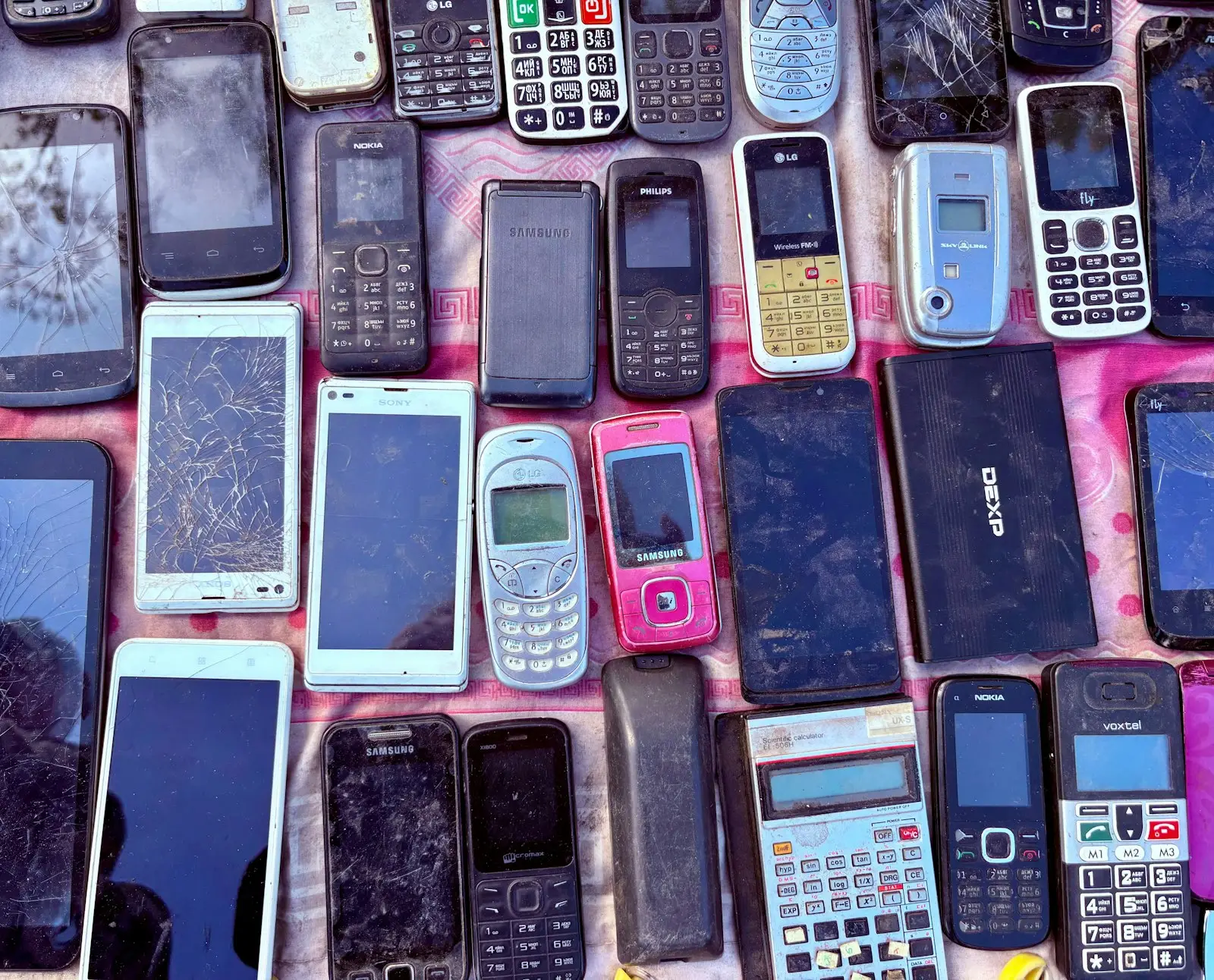
A cleaned-up phone, left on its charger, is a small computer that already exists. It can hold a family photo library, run a small website, or sit on a shelf doing one quiet job for years.
We are working toward making that easy — and toward letting people lend an old phone to those who need one, or hand it in to be put to work alongside others, instead of throwing it away.
What we will not promise
That renting out your old phone will make you money. A phone is slow next to a real server, it sits behind a home internet connection, and a battery left charging for a year wears out.
Plenty of people will tell you otherwise. We would rather say it now and build the part that is true: an old phone doing something small and real, for you.
One phone is useful. Many together are something else.
On a campus
Students hand in the phones they have stopped using. Cleaned up and put on a shelf together, they become a shared computer the whole class can learn on and run their coursework on.
Many campuses, joined up
Link those shelves together and you get something like a data centre that is not in one building. It is spread over many small rooms, so one room going quiet does not stop the rest.
For people who make apps
App makers need to try their work on real, older phones, and those are hard to find. A phone lent for an afternoon can be exactly that.
These are ideas, not products. A shelf of phones will not replace a real data centre: it suits lots of small jobs that can each be done on their own. And a room full of batteries needs looking after. How a campus could start →
Where next
Everything else
has its own page.
Start safely
What you need, and a first command that only looks and changes nothing.
Careful by design
Why it will not break your device, and a phone you can try to break.
How it works
Every safety check, the backup, the three strength levels, and both screens.
The catalogue
Every app it knows by name, what it does, and what breaks without it.
The field report
Run on twenty devices. One measured before and after, including the bugs it found in us.
The source code
All of it, free to read and change. Nothing is hidden and nothing phones home.
Keep the device.
Lose the excess.
See what is on your Android device, and decide what stays.
Free My Android is free, open source, and made for devices you own.